CREATOR PRO · ANIMATION AND MUSIC
Give your game a look of its own. And a sound of its own.
A waving character, a dramatic introduction or cheerful victory music: your child creates it. Creator Pro’s visual tools help you make movement and music for a game of your own.
Try Creator Pro free for 14 daysFor the Pliro app on Windows and supported Linux computers.
ANIMATION STUDIO
Discover what makes a movement convincing.
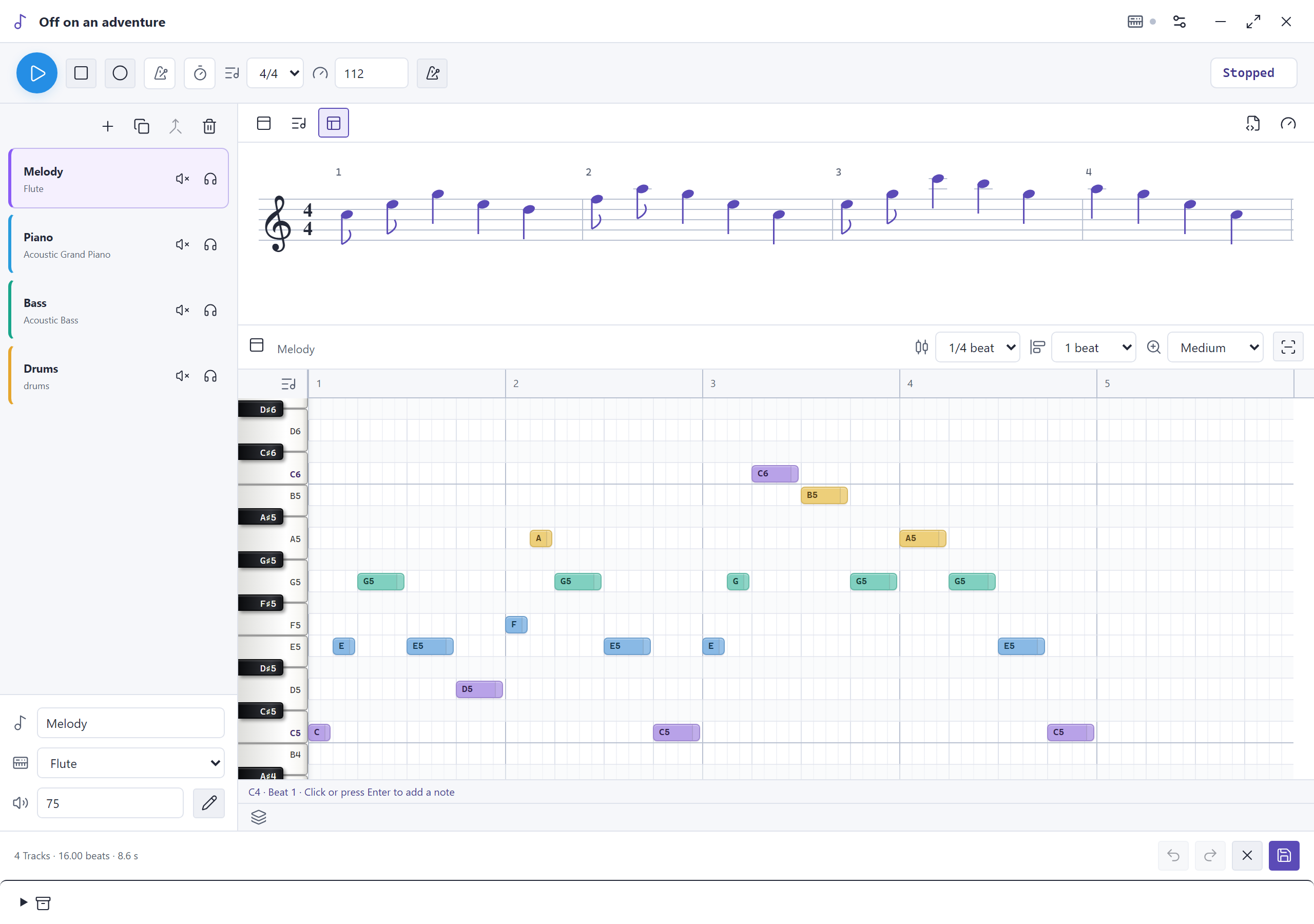
Arrange the pictures of a movement in sequence. See what happens when a step lasts longer or the order changes. Your child discovers the difference by watching and trying again.
- Arrange movement frames on a timeline.
- Adjust the timing and play the animation.
- Use the animation in a project of your own.
MUSIC COMPOSER
Build your music, one instrument at a time.
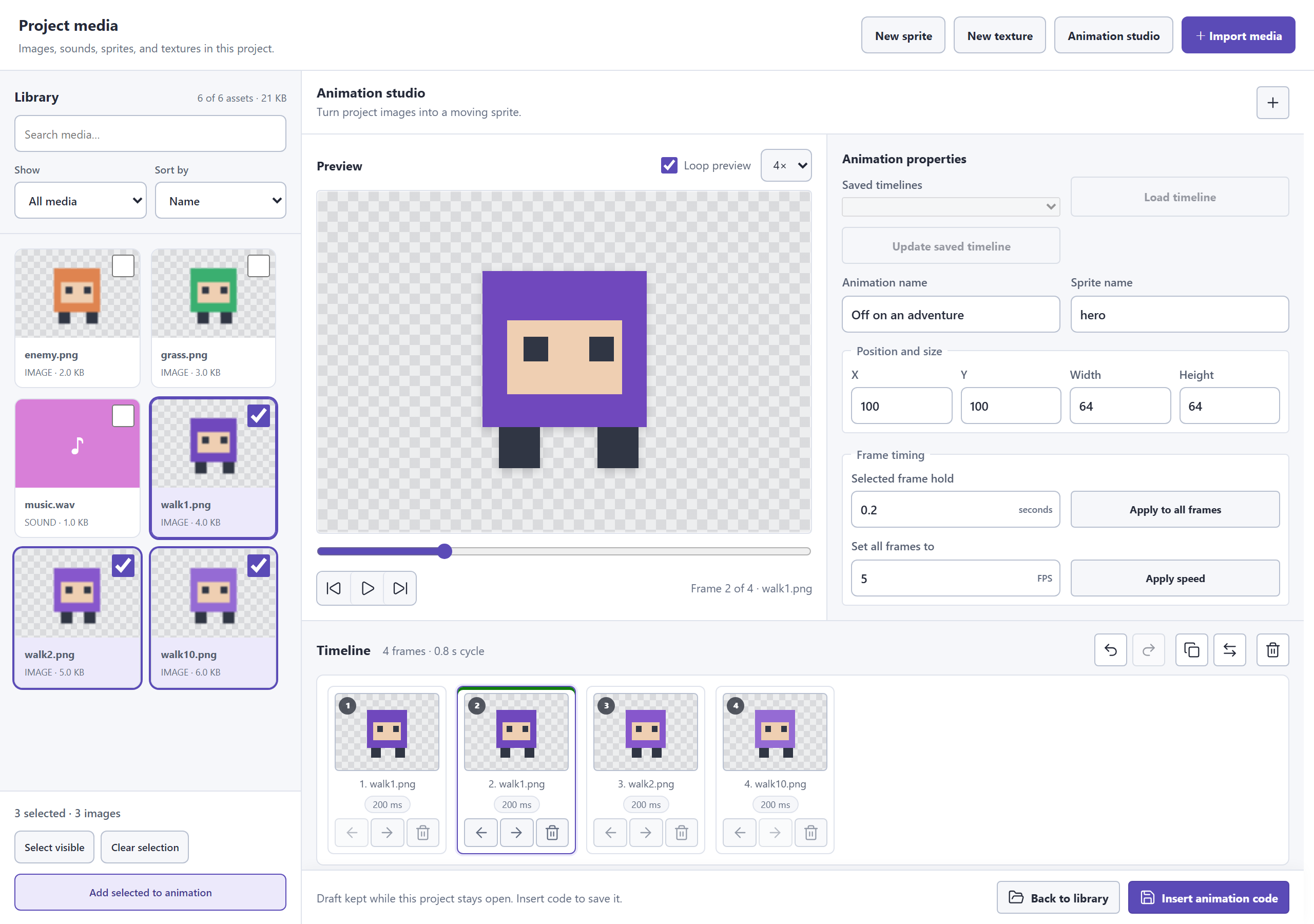
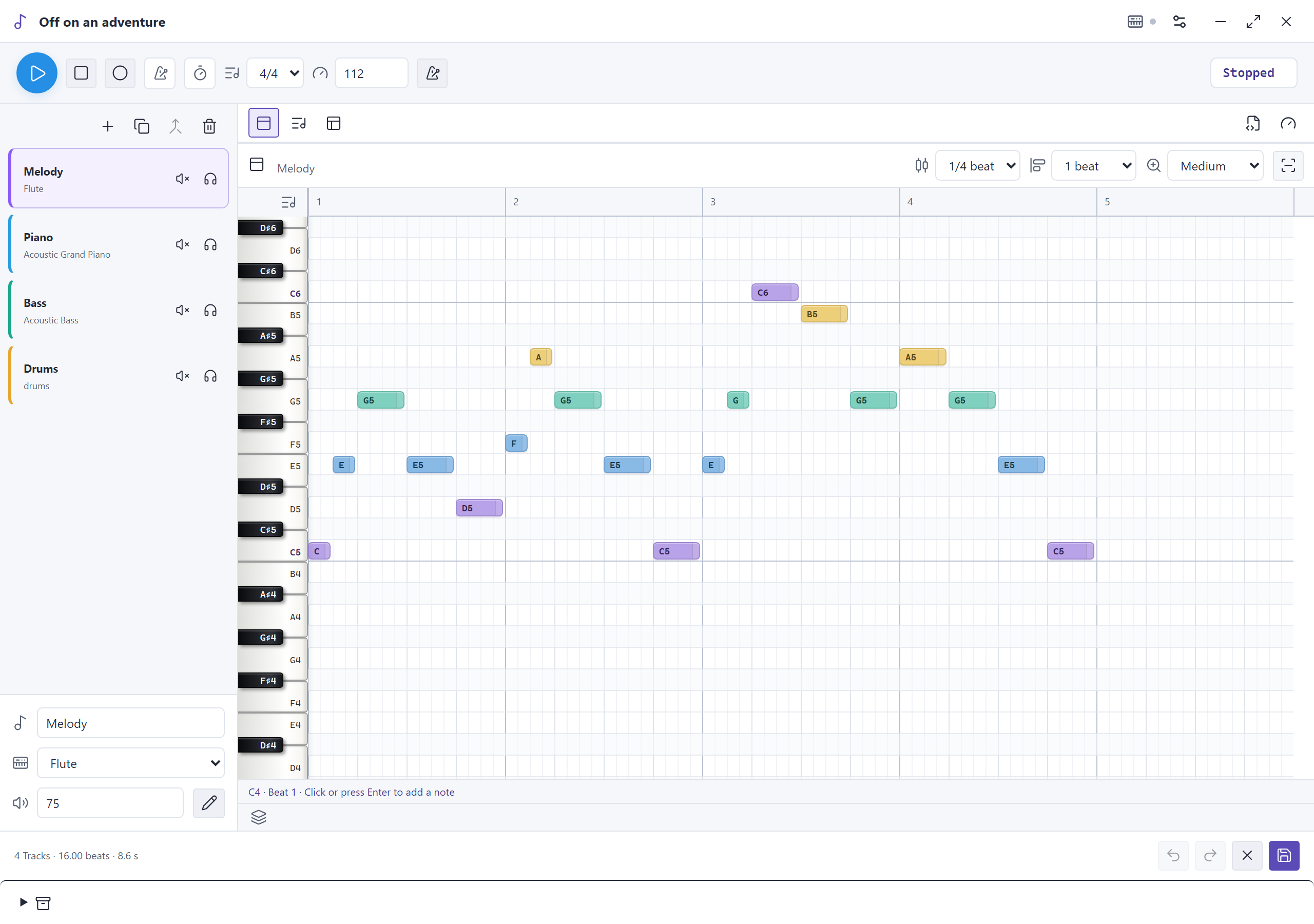
Start with a few notes in the grid. Drag them up or down, change their length and listen back. Then add piano, bass or drums. A separate track and volume for each instrument keep things clear.
- Place and drag notes with the mouse.
- Choose instruments and set the volume for each track.
- Listen to one part or all instruments together.
EXPLORE YOUR WAY
From coloured notes to a musical score.
Prefer a grid, a musical score, or both? Switch views while working on the same music. Your child can discover how notes look and sound through play. The metronome helps keep the beat.
- See the same music in two different ways.
- Adjust the tempo and try what suits your game.
- Optionally record notes with a compatible MIDI keyboard.
QUESTIONS FROM PARENTS
The practical details.
Does my child need a musical instrument?
No. You can enter notes in Pliro and listen on the computer. Connecting a compatible MIDI keyboard is optional.
Can we do this with free Learner?
Learner already lets your child code animations and make simple melodies. Creator Pro adds the visual animation studio and the composer with multiple music tracks.
Do I need to learn the tools first?
You do not need to master the tools before your child starts. Begin with one movement or a short tune. Ask what they would like to change and watch or listen together.
READY FOR THE NEXT IDEA?
Choose what works for you.
See current prices and payment options. Review your total and terms before you pay.